What you can track
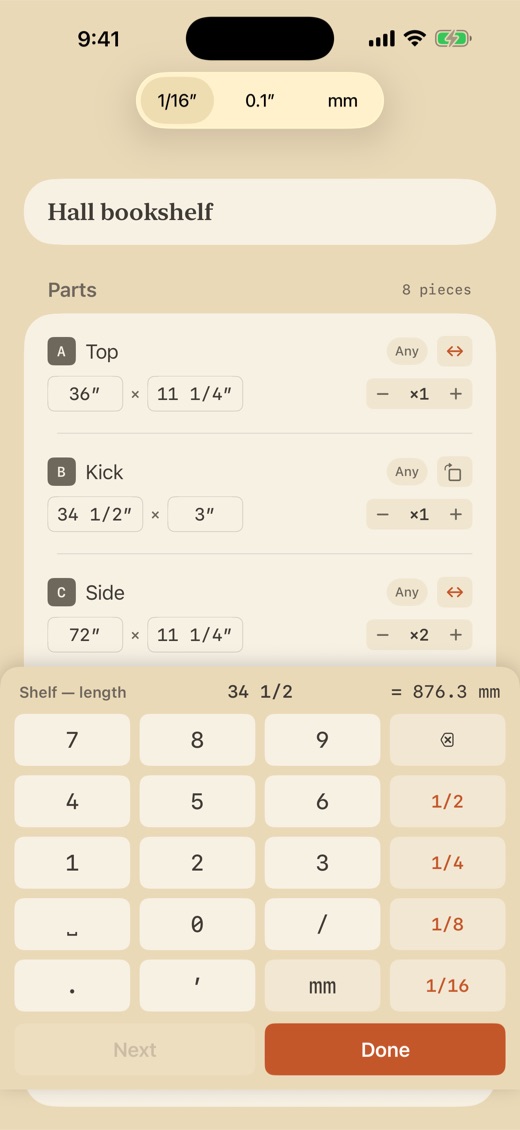
- Enter parts fast — a fraction keypad built for inches (24 3/8" takes four taps), plus decimal and mm modes
- Add stock from standard presets — 4x8 plywood, dimensional lumber — or enter your own sizes
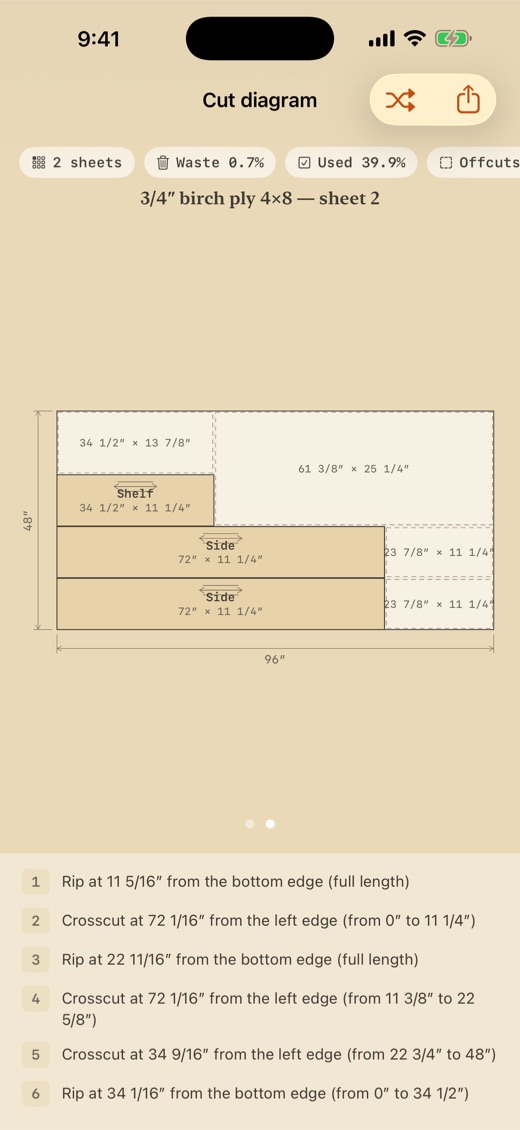
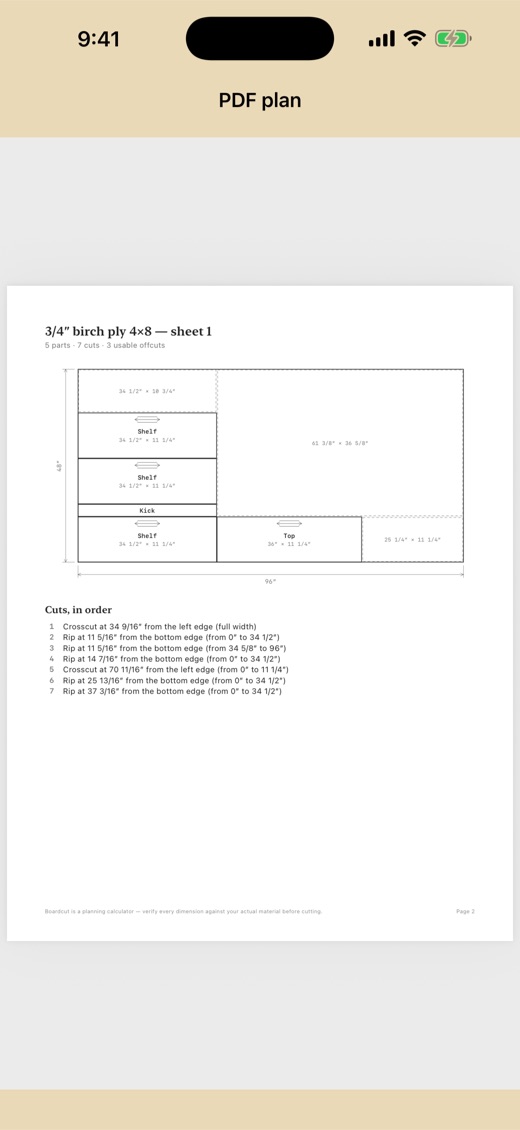
- Get an optimized cut diagram with engineering-style dimensions and grain arrows
- Blade kerf is drawn at its real width on every cut — with edge trim and a minimum offcut size you control
- Follow a numbered cut list: every rip and crosscut in order, linked to the diagram
- See waste, yield, sheet count, cut count, and material cost at a glance
- Reshuffle for an alternate layout when you want a second opinion
- Lock grain direction on the parts that show
- Switch units anytime — inch fractions, decimal inches, or millimeters — never paywalled
- Two drawing-table themes: Workshop (birch and pencil) and Blueprint (cyanotype)
Prefer paper? Free Printable Cut List Template (PDF) — the same log as a free printable sheet.
Pricing, plainly
Plan any size project free: the optimizer, the cut diagram, the ordered cut steps, and sheet-image sharing. No account, no trial clock.
3-day free trial for eligible customers. Pro adds vector PDF and CSV export plus offcut stock. The weekly subscription renews automatically unless canceled.
Private by design
Questions
Is Boardcut free?
Every project is free to plan, with no piece limit, no account, and no trial clock. Pro adds PDF and CSV export plus offcut stock. Choose $1.99/week or a $12.99 lifetime unlock; eligible customers receive a 3-day free trial.
Where is my data stored?
On your iPhone. Boardcut never uploads what you record, and never shares or sells your data — there is no account and no cloud backend. Some apps send anonymous usage counts (no identifiers) so we can see which features get used; each app's privacy policy spells out exactly what, if anything, is sent.
Does Boardcut require an account?
No. You can start logging the moment the app opens — there is no sign-up, no email, and nothing to create.